If you find the phrase "the dark web" scary and undefined, you’re not alone.
Read on to find out how to proactively protect your information from this very real, very risky area of the internet with Dashlane’s Dark Web Monitoring and Dark Web Insights.
What is the dark web?
The dark web is an anonymous part of the internet that search engines can’t index, which means individuals can use it for good—or evil. On the legitimate side, it enables human rights activists, whistleblowers, and individuals who live in countries without freedom of expression to communicate.
But on the other hand, it’s also a breeding ground for illicit activities, like hiring cybercriminals and purchasing stolen logins, bank account information, and ransomware-as-a-service (RaaS).
Unfortunately, having your organization’s information on the dark web can have serious consequences. In 2021, hackers disrupted the Colonial Pipeline by infiltrating the company’s system through a virtual private network (VPN) using a stolen password. Investigators don’t know how the bad actors obtained the user credentials. However, security researchers found those same credentials in a batch of logins that were leaked on the dark web.
Dark web monitoring tools shine a light on the dark web for both individuals and organizations, enabling them to view and remediate threats.
How does Dark Web Monitoring protect individuals?
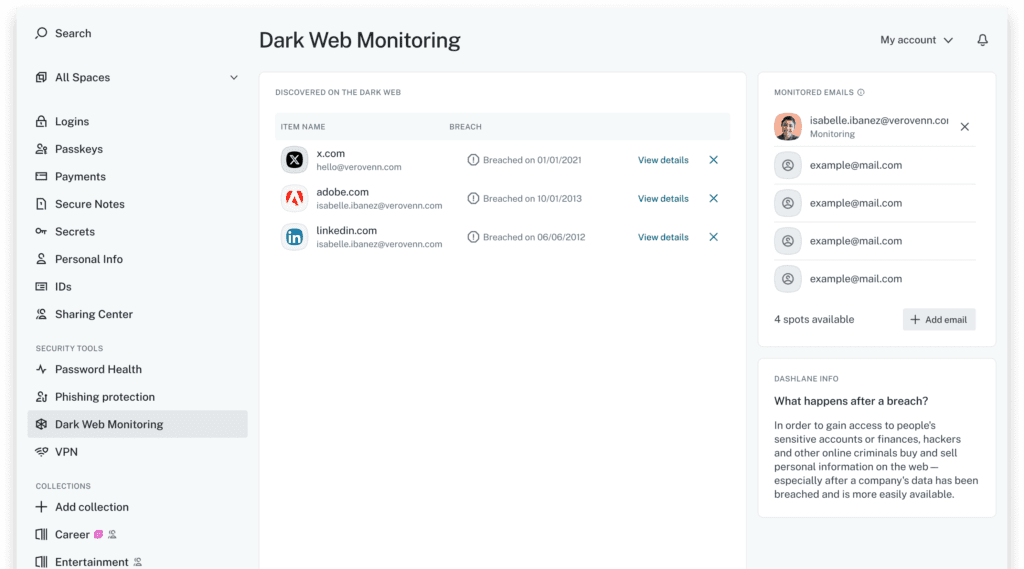
Dark Web Monitoring from Dashlane, available on all personal plans, continuously scans vast collections of leaked data for signs that your personal information has been exposed. It compares your data against billions of records collected from known breaches, is updated daily, and provides clear steps for what you should do next.
You can even monitor up to five of your email addresses at once for suspicious activity.
Benefit #1: Clear, fast remediation
- Get an alert right away in the app if Dashlane finds your email or related personal information on the dark web.
- Take action with clear guidance on what to do next, like changing impacted passwords, using passkeys, and freezing credit cards before attackers can exploit the breach.
Benefit #2: Continuous monitoring
- Prevent identity theft, financial fraud, or unauthorized access to your accounts around the clock.
- Enjoy truly effortless protection, no time or expertise required.
Benefit #3: Total peace of mind
- Get the protection of Dashlane’s zero-knowledge security architecture, which means only you can see your monitored emails and alerts, not Dashlane or any third party.
How individuals can get started with Dark Web Monitoring
- Go to the Dark Web Monitoring section in the side menu of the web app.
- If this is your first time using Dark Web Monitoring, select Monitor your first email. If you already use Dark Web Monitoring for other email addresses, select Add email.
- Enter the email address you want to monitor and select Send activation link.
- Look in your inbox for an email from Dashlane asking you to confirm. Open the email and select Yes, I confirm this request. You'll be taken to a confirmation page. Select See results to go back to the Dashlane app.
How does Dark Web Insights protect organizations?
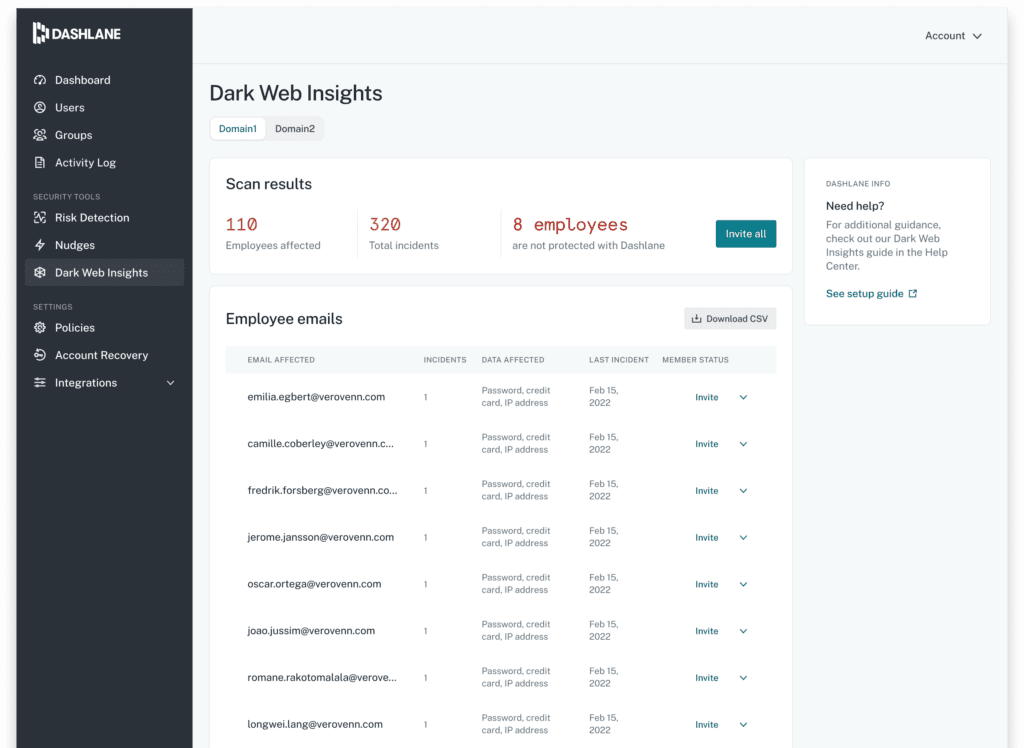
Dark Web Insights is a Dashlane dashboard that gives IT admins access to real-time insights and alerts about security breaches and other vulnerabilities facing employees in their organization.
The Dashlane extension monitors logins as they are actually used—even if an employee types or pastes a password without saving it to a vault. If a compromised credential is used on any site, the employee is alerted and IT can respond immediately.
Benefit #1: Risk visibility for 100% of employees
- Detect vulnerabilities among ALL employees, whether or not they have Dashlane.
- Review in-depth insights on every breach, including the type of breach, associated email, breached sites, and breach date.
- Get continuous scanning for breaches across billions of records, eliminating blind spots.
Benefit #2: Proactive approach to security
- Receive real-time monitoring and proactive communication to effectively mitigate risks.
- Get automated email alerts when new breaches occur.
- View all vulnerabilities each employee needs to remediate with the Password Health tool.
- Enjoy peace of mind about your organization’s data.
Benefit #3: Simple, effective remediation methods at your fingertips
- Easily invite and onboard at-risk employees onto Dashlane.
- Enable employees to quickly change weak and breached passwords
How IT admins can get started with Dark Web Insights
- Open Dashlane and click the Dark Web Insights tool on the left under Security Tools.
- Type in your organization’s domain as prompted. (Domain verification can take up to a day.)
- Review the Dark Web Insights report that is generated.
- Invite at-risk employees to join Dashlane.
How does Dark Web Monitoring protect employees?
Employees don’t have to be security experts to remediate threats with Dashlane’s Dark Web Monitoring. This built-in tool does all the work of scanning the dark web for leaked data and alerting employees when their information is involved in data leaks.
Employees will never wonder what to do if their information is compromised because they’ll also receive recommended actions for remediating threats.
Benefit #1: Protection for both work & personal life
- It’s not just for your work email—monitor up to 5 email addresses of your choice.
- Get robust real-time monitoring and alerts when your data is found on the dark web.
- Receive alerts for many data types, including passwords, bank account numbers, and government identification numbers.
Benefit #2: Easy remediation methods
- Dashlane recommends the actions you should take to secure all your compromised accounts after a breach.
Benefit #3: No maintenance required
- Dashlane monitors the web for you so you can focus on your work.
- Dashlane updates the list daily with any new credentials and passwords obtained from data breaches.
How employees can get started with Dark Web Monitoring
- Get a Dark Web Monitoring invite email from an IT admin at your organization.
- Create a Dashlane account.
- Look through the Dark Web Monitoring tool you’ve been auto-enrolled in.
- Manage Dark Web alerts and change passwords as needed.
Security shouldn’t rely on users getting everything right — or break when a big provider stops supporting a feature. Dark Web Monitoring and Dark Web Insights give individuals and organizations the proactive protection they need to stay ahead of real-world threats.
Sign up to receive news and updates about Dashlane